Several agents can move a project forward, but following their tasks across separate windows takes attention away from the work.
One terminal for all agents.
Run coding agents side by side, keep their tasks in view, and return to the conversations behind their work.
Apple silicon · macOS 14+ · invited testers first
Product walkthroughs
See it at work
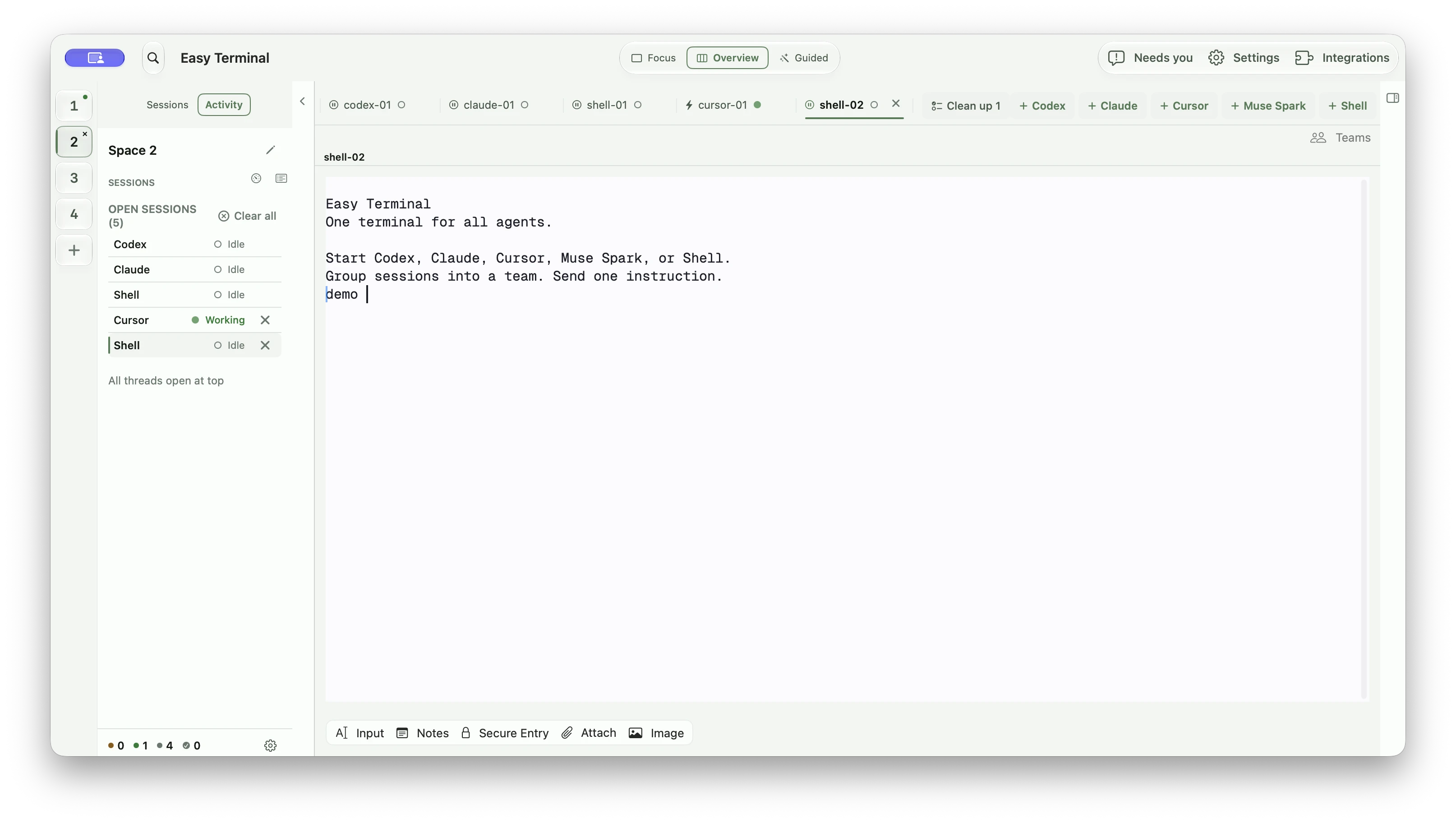
Keep the terminal and its task context together
Focus on one terminal or use Overview to follow several sessions. The provider’s familiar command-line interface stays available as you move between views.
Add Codex, Claude, Cursor, Muse Spark, or a shell from one row
The plus controls start the tool you choose in the current workspace. Existing sessions stay visible as tabs, so adding another agent does not hide the work already in progress.
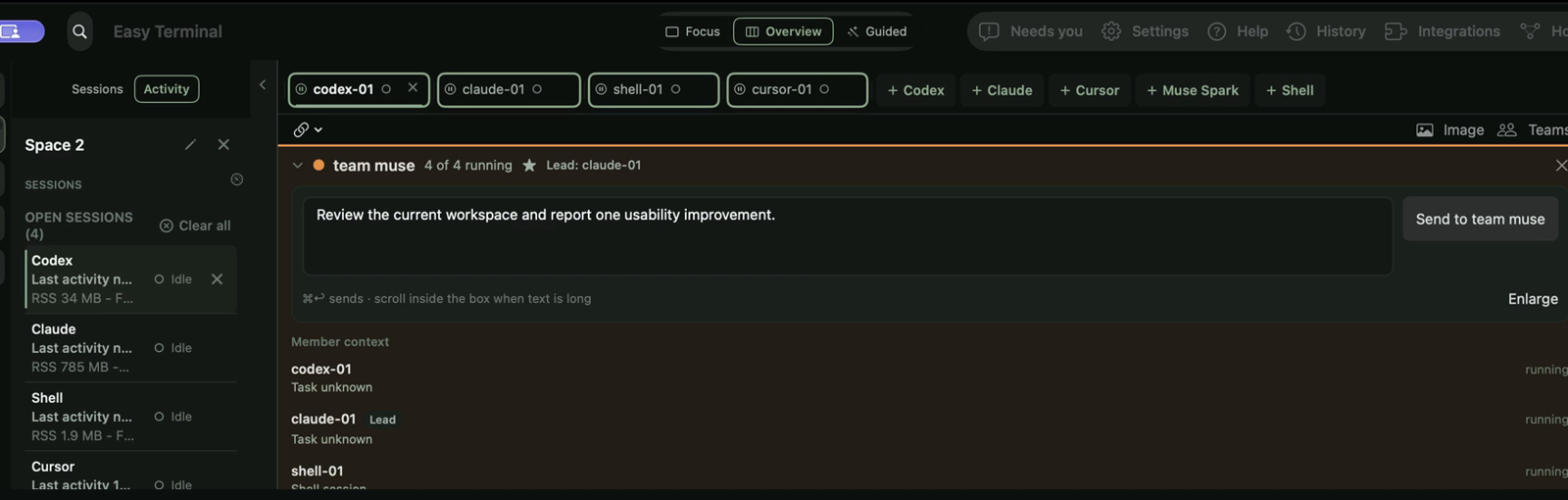
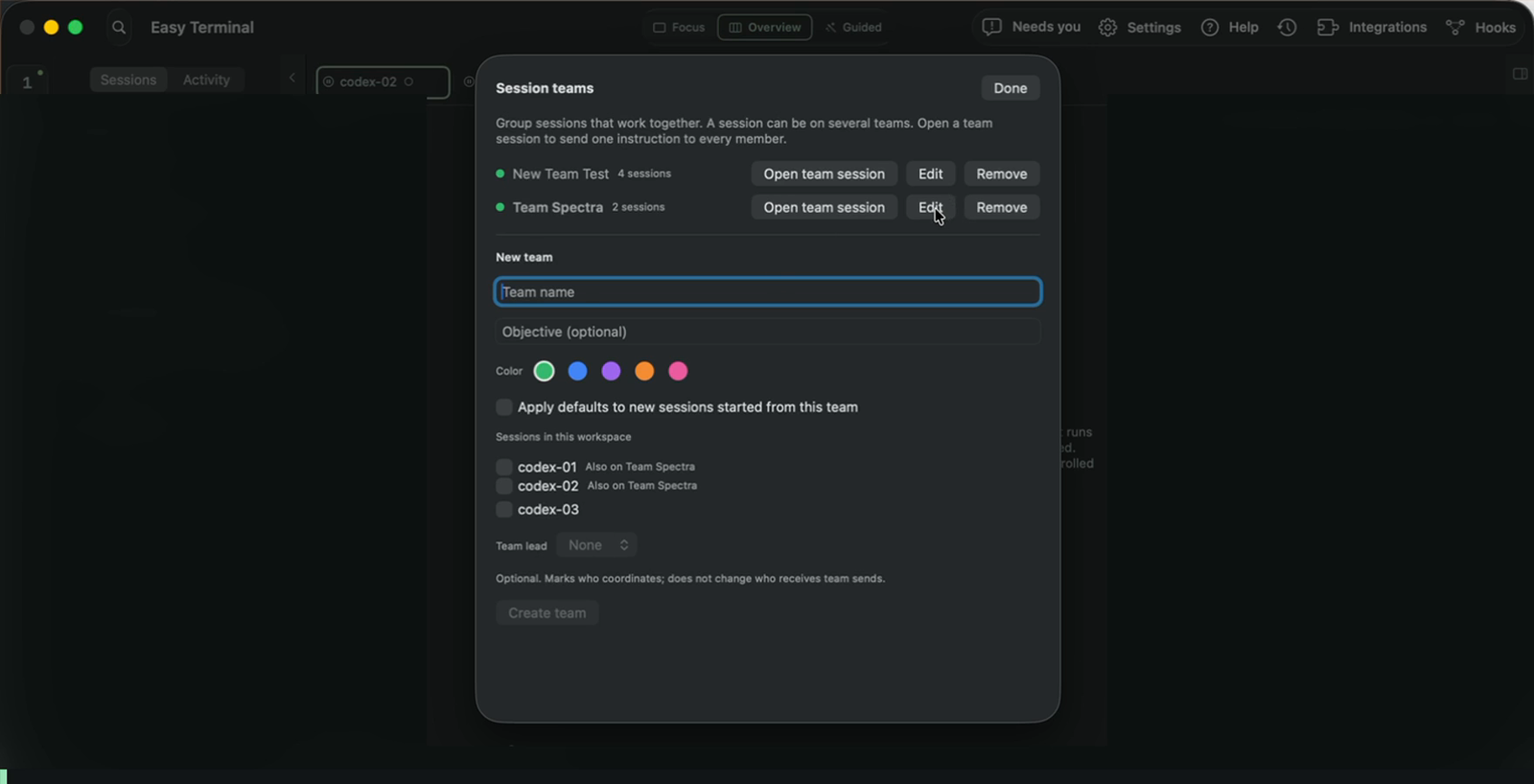
Choose the sessions that belong together
Give a team an objective, choose its member sessions, and optionally designate a lead. Grouping establishes who belongs together; assigning work is a separate step.
Write one instruction with every team member still in view
A team session keeps the composer, member list, and running state together. Sending is deliberate; the UI shows the target team before the instruction leaves the composer.
Return to recorded context without leaving the workspace
Open saved conversation context beside the live terminal, then inspect the terminal when you need the full provider response. Retained history is evidence of recorded work, not proof that a provider restored its own memory.
See the plugins and provider controls behind each workspace
Filter integrations by CLI and scope, inspect their settings, and manage provider configuration in one place. Saved settings and a running session’s active tools can differ.
Tune the terminal without leaving the app
Choose appearance, palette, terminal style, typeface, density, input behavior, and lifecycle preferences from one native settings surface.
Inspect configured hooks and tool connections in context
Inspect discovered hooks and MCP servers by provider and scope, with configuration and available usage evidence beside them.
- Free alpha preparation for invited testers; no public download yet
- The terminal runs locally; hosted agents may contact their configured providers and tools
- GUI reconnect requires the daemon to remain alive; a reboot does not preserve a running process
Can I try it now?
Unavailable for public download. Join early access for the invited alpha.
Which agents does it run?
It hosts terminal programs, including Codex, Claude Code, Cursor, Muse Spark, and ordinary shells. Install and sign in to providers separately. Provider subscriptions and usage charges are separate from the free alpha.
Will it keep my sessions alive?
Quitting and reopening the GUI can reconnect to the same sessions while its daemon and child processes remain running. A daemon crash, Mac restart, or explicit termination ends that guarantee. Saved history is different from a running process.
How do teams coordinate work?
Teams group related sessions around an objective. In a coordinated workflow, a designated lead assigns tasks and reviews members’ results. Creating a group does not automatically assign work; delivery, acceptance, and completion are separate steps.
Will it be open source or paid?
The app is currently proprietary, with a private source repository and a free invited alpha planned. Future pricing, broader distribution, and whether to open parts of the source remain undecided. Third-party components keep their own licenses.
Easy Terminal is the workspace I wanted for following several coding agents without constantly reconstructing what each one was doing. It brings terminal sessions, task evidence, conversation links, teams, and file previews into one place.
The app is preparing for a free invited alpha on Apple silicon Macs running macOS 14 or later. The next step is to test setup, clarity, and reliable daily use with a small group before deciding broader distribution. The repository remains private, and there is no public download yet.
Apple silicon · macOS 14+ · invited testers first